> For the complete documentation index, see [llms.txt](https://docs.graspil.com/en/llms.txt). Markdown versions of documentation pages are available by appending `.md` to page URLs; this page is available as [Markdown](https://docs.graspil.com/en/app/start-utm/source.md).
# What is a source?
As the name "Source" suggests, this is the place a user came from to your bot. For example, you posted a link to the bot in a Telegram channel — the source for users who clicked this link and launched the bot will be your TG channel.
{% hint style="info" %}
You can read about why it's important to understand where a user came from in [our blog](https://graspil.com/ru/post/utm_for_telegram_bot)
{% endhint %}
We introduced the concept of "source" to make working with reports simpler and faster. Each **user** **can have only one source** at a given point in time (it may change later — see the article on [attribution models](/en/app/attribution-models.md) for how to work with that)
## How is the source determined?
The source is determined from the data in the start parameter.
{% hint style="info" %}
You can read about what the start parameter is in [this section](/en/app/start-utm.md)
{% endhint %}
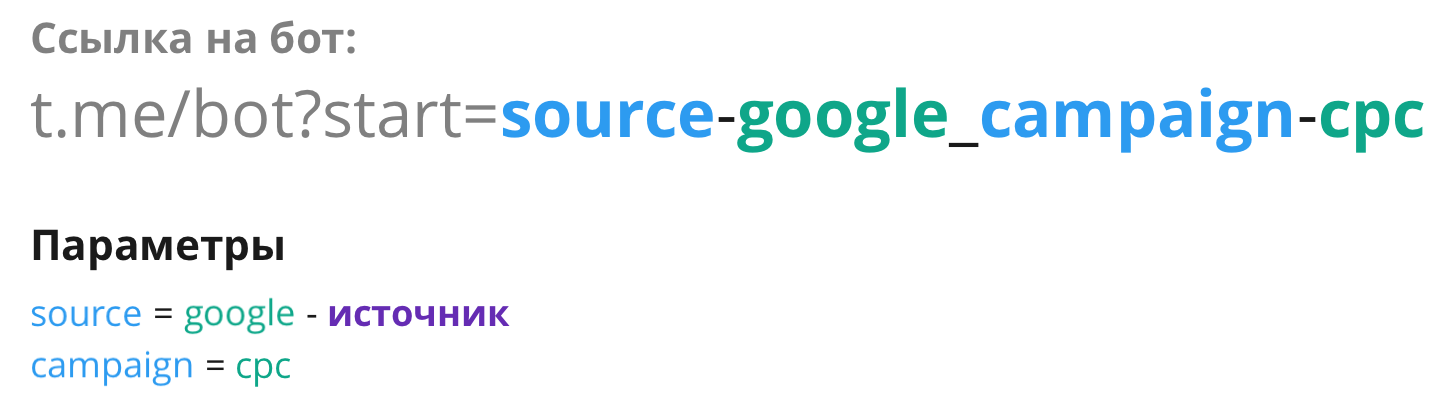
Since a single bot link can contain more than one parameter, we've added the ability to set rules for determining the source. In the picture, the user's source will be "**google**":
Determining the source from a bot link
{% hint style="info" %}
The source detection settings depend on the [start parameter processing settings](/en/app/start-utm.md)
{% endhint %}
### Configuring source detection
> You can configure source detection rules for each bot. To do this, go to [My Bots](https://app.graspil.com/bots) and select the bot you need. On the bot information page, find the "UTM Tags" item (start processing rules) and go to the source detection settings.
The settings page consists of two parts:
1. The settings form (more on this below)
2. A preview of the result. When you change the settings, you'll see how various links will be processed and how the source will be determined (marked with the source tag). You can add your own example links.
### Processing types
Determines how the source will be detected. 3 options are available:
**1. Auto** — this is the default value.
The system will automatically choose the appropriate parameter. If the parameter name contains the word "source", that parameter will be chosen; otherwise, the first parameter in the list will be used.
**2. Allowed parameters**
You can set your own list of parameters. When such a parameter name is found, it will be marked as the source.
**3. Disallowed parameters**
You can set a list of parameters that won't be considered when determining the source. The parameter containing the text "source", or simply the first parameter in the list, will be chosen.